Performance
Local conversion engine
Bundled media tools process files on your computer.
Batch processing
Add multiple files and let the queue work through them.
Progress you can follow
See each conversion progress and cancel when needed.
 Desktop App Local Conversion
Convert video, audio and images on your own computer. Free, open source, and privacy-first.
Free & open source · MIT licensed · Files stay on your device.
Star on GitHub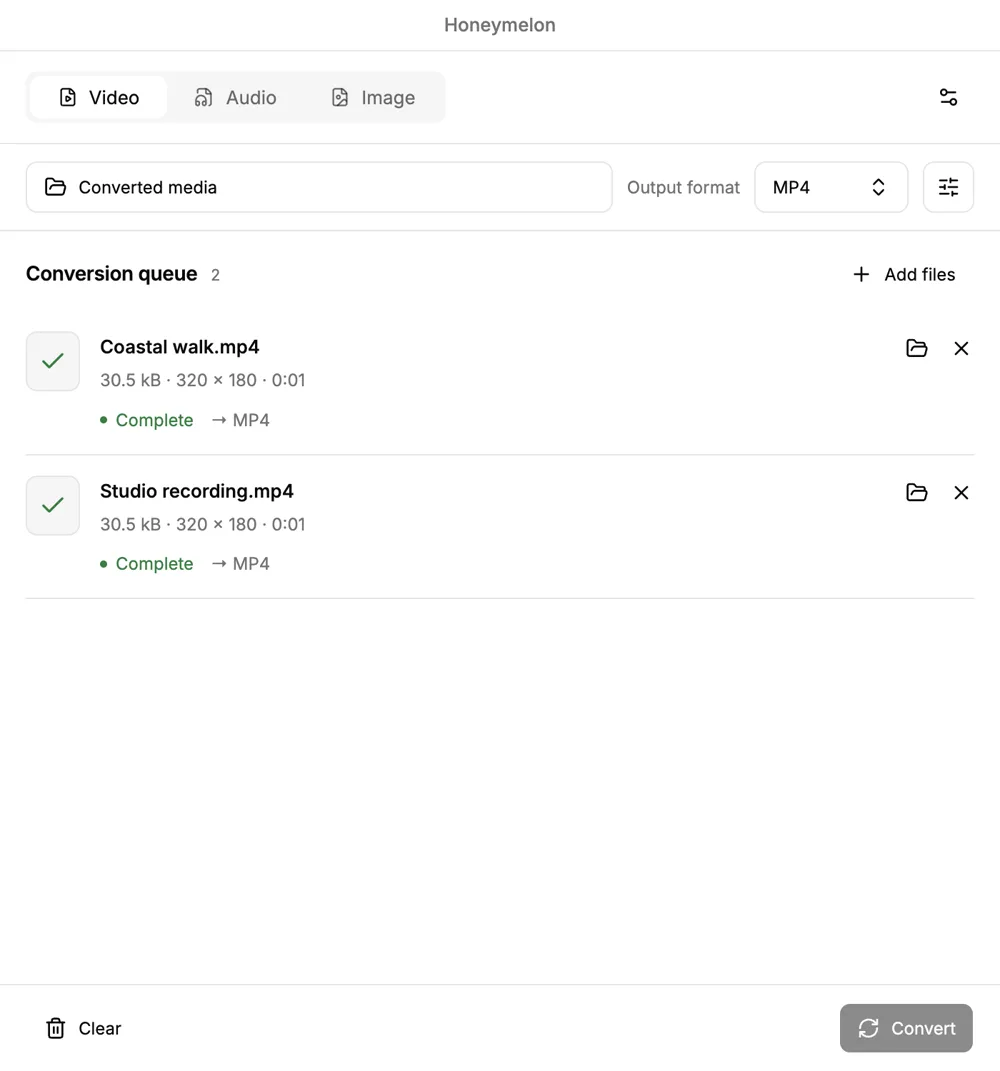
Published packages for macOS, Windows and Linux. Choose the right build for your computer.
Inspect the code, contribute improvements, or make it your own. Honeymelon is MIT licensed.
Media conversion runs on your device. No conversion account or media upload is required.
Video, audio and images share a clear queue, familiar controls and local output folders.
Powerful features, thoughtfully organized.
Bundled media tools process files on your computer.
Add multiple files and let the queue work through them.
See each conversion progress and cancel when needed.
Choose the output settings that suit your files.
Video, audio and image formats in one place.
Save converted files where you want them.
Bring files straight into your conversion queue.
Everything you need, without the clutter.
English, Spanish, French, German and Russian.
Three steps. That's it.
Add video, audio or image files to the queue. Keep your originals safe on your computer.
Select a supported format, adjust the settings and choose a destination folder.
Start your batch, follow its progress and find the completed files in your chosen folder.
A thoughtful interface that stays out of your way.
Pending, active and completed conversions, together in one clean interface. Work through a batch with confidence.
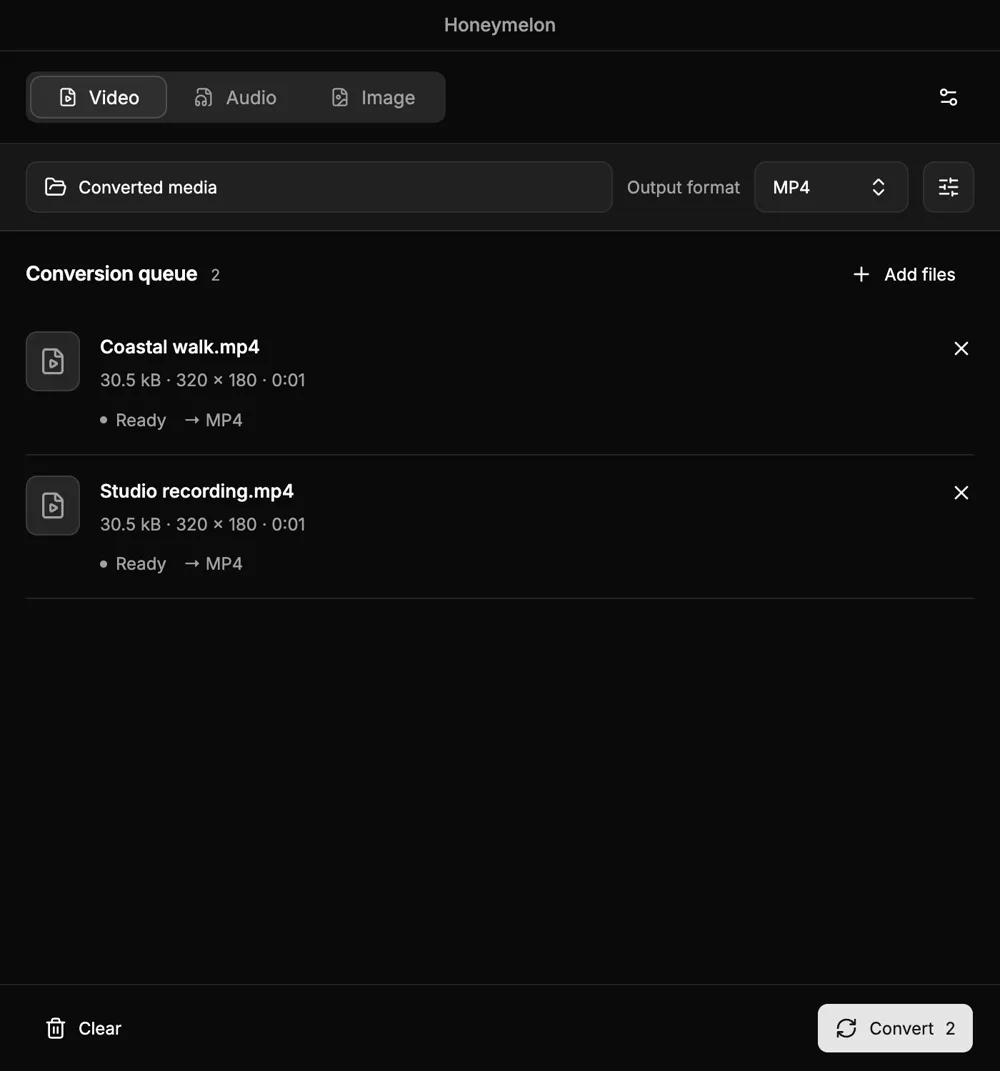
Choose light, dark or system appearance. A compact desktop utility that feels comfortable throughout your day.
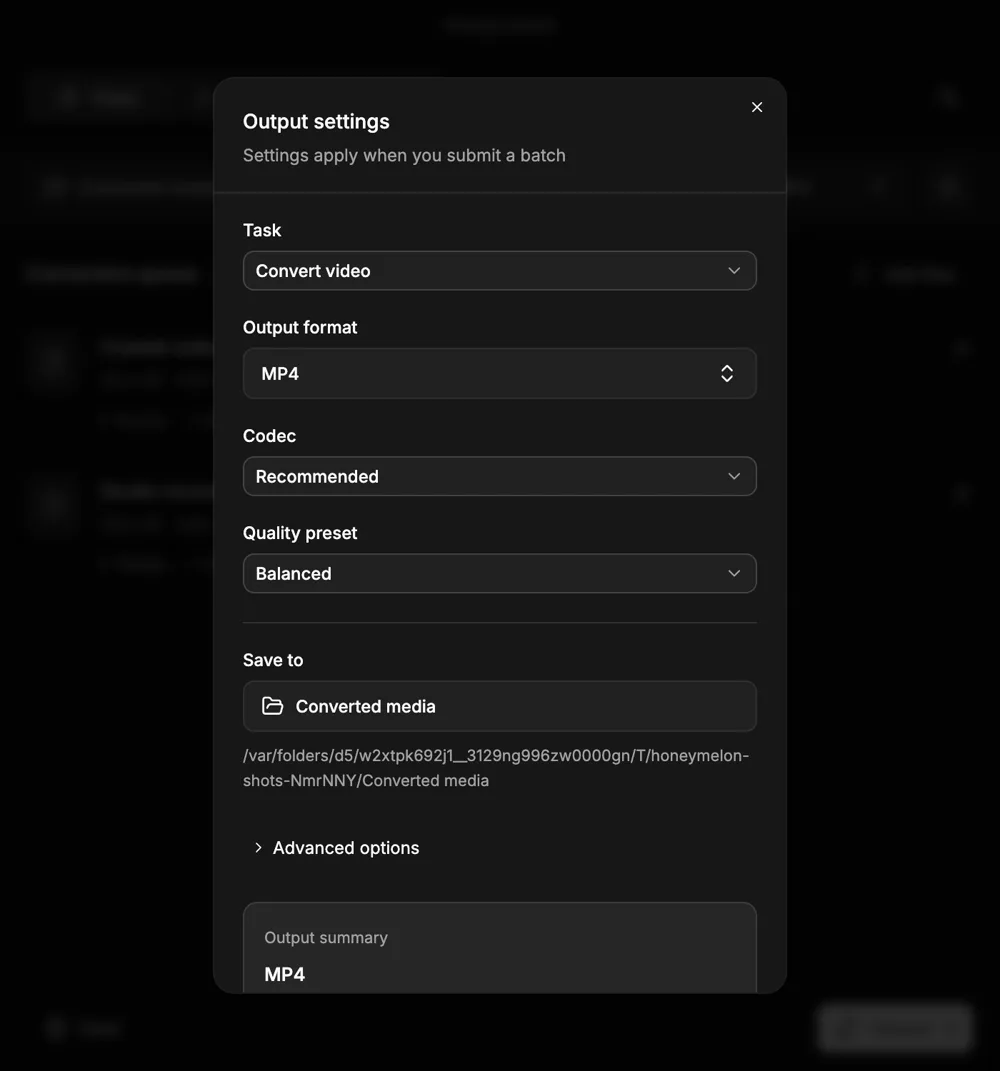
Choose an output format, fine-tune the available quality controls and pick where the results go.
No subscriptions. No license keys. No strings attached.
$0 forever
Open source · MIT licensed
Free and open source. Choose the build for your computer.
macOS · Windows · Linux
The same local-first idea, wherever you work.
| Feature | Honeymelon Desktop | Honeymelon Web |
|---|---|---|
| Local conversion | Available | Planned |
| Video, audio & images | Available | Planned |
| Available to download | Available | Planned |
Honeymelon Web is on the roadmap; it is not available yet. Browser format support may differ from desktop.
Yes. Honeymelon is free and open source under the MIT license. There are no subscription fees, license keys or conversion accounts. Bundled media tools have their own license notices.
Published desktop packages are available for macOS, Windows and Linux. Availability varies by release and processor. The download page lists exact verified packages; check the original release notes before installing.
Media conversion happens on your computer using bundled tools. An internet connection is needed to download Honeymelon, but your media does not need to be uploaded for conversion.
Honeymelon works with video, audio and images, including common formats such as MP4, MP3, JPEG and PNG. Available outputs and codecs depend on the platform and release. Not every input can become every output.
No media upload is required by the desktop conversion workflow. The website hosting provider may process ordinary access logs; read our privacy page for details.
The 3.0 beta is explicitly unsigned and may trigger operating-system trust warnings. The screenshots on this page show that beta. Stable downloads remain separate; read the release notes and verify published checksums.
Report a reproducible bug, improve documentation, contribute a translation or propose a code change on GitHub. Private media should not be attached to public issue reports.
Download Honeymelon and make media conversion feel simple again. Your files, your computer, your control.